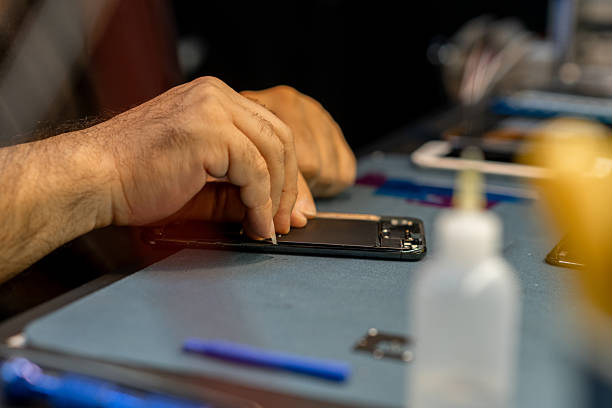
Quick Answer: A charging port usually stops working because of lint buildup, bent pins, corrosion, or a cracked solder joint on the small board it sits on. Most of these issues are fixable in under an hour with a proper phone charging port repair, and you rarely need a full motherboard swap unless the damage reaches the logic board itself.
Your phone hits 1 percent, you plug in the cable, and nothing happens. Maybe the screen flickers a charging icon for a second and dies again. That flicker is actually useful information: it means power is getting close to the battery but something between the cable tip and the board is interrupting the connection.
What Actually Lives Inside a Charging Port
The port itself, whether it is Lightning, USB-C, or a legacy micro-USB, is a tiny connector with metal contacts that align to matching pins inside your cable. Apple’s Lightning connector was introduced in 2012, and USB-C has since become the industry standard for both Android devices and newer iPhones. Inside the phone, that port connects through a flex ribbon or is soldered directly to the logic board.
Dust is the most common enemy here. Pocket lint, sand, and general grime pack into the port opening over months of use, and eventually the pins inside can’t make contact with the cable. Samsung, Google, and Apple all design ports with a slight recess specifically to reduce this, but it happens anyway, especially if you carry your phone in a pocket with keys or coins.
Here’s the thing most people miss: a port that appears clogged with lint is often a five minute fix, while a port that charges intermittently even after cleaning usually points to physical pin damage or a failing charge IC on the board.
Common Causes of Charging Port Failure
Bent or pushed in pins happen most often when someone plugs a cable in upside down and forces it. USB-C is reversible by design, but Lightning and micro-USB are not, and forcing the wrong orientation bends the internal contacts.
Corrosion is the second big cause, and it is sneakier. Sweat, humidity, and the occasional splash (even on phones rated water resistant, like the IP68-rated iPhone 15 or Galaxy S24) can leave mineral deposits on the contacts over time. That corrosion acts like a layer of insulation, blocking the electrical signal even though the port looks fine to the naked eye.
Then there is solder joint failure. The port sits on a small daughterboard connected to the main logic board by tiny solder points. Repeated stress from plugging and unplugging, or a drop that jars the internal components, can crack those joints. This is the failure mode that a cotton swab and rubbing alcohol will never solve, because the issue isn’t dirt. It’s a broken physical connection under the hood.
Cleaning It Yourself vs Getting It Fixed
You can try a wooden toothpick or a can of compressed air for basic lint removal. Skip metal paperclips and pins entirely, since a slip can scratch the contacts or push debris further in, turning an easy fix into an expensive one. If gentle cleaning gets you a stable charge again, great. If it doesn’t, or if you notice the connection changes when you wiggle the cable, that’s a mechanical or solder issue that needs a technician with a microscope and the right micro-soldering tools.
At Wichita Repair, most phone charging port repair jobs are completed same day, because in the majority of cases the fix is a port replacement rather than a full board repair. A trained tech can pull the old port, solder in a new one, and test charge speed and data transfer before handing the phone back.
When It’s Not the Port at All
Sometimes the port is completely fine and the real problem is the cable or the charging brick. Cheap third party cables, especially ones without MFi certification for Lightning devices, wear out fast and can develop internal breaks near the connector. Swap in a known good cable first. If a friend’s cable charges your phone normally, the port itself is the suspect, not the cable.
Software can occasionally play a role too. A phone stuck in a boot loop might show charging symptoms that look hardware related. Rule that out with a basic restart before assuming the port needs replacing.
What a Professional Repair Actually Involves
A real charging port repair isn’t just popping in a generic part. Techs desolder the damaged port under magnification, clean the pads on the board, and solder in a port matched to your exact model, since Apple and Samsung both use slightly different port revisions across generations. After the swap, the phone gets tested across multiple charging speeds and cable types. Most straightforward port swaps take 30 to 60 minutes once the part is on hand, though older or discontinued models sometimes need a part order that adds a day or two.
The Bottom Line
A dead charging port feels like a dead phone, but it almost never is. Between lint, corrosion, bent pins, and solder fatigue, the fix is usually narrow and fast once someone with the right tools takes a look. Try the cable swap and gentle cleaning first. If that doesn’t bring it back, get it into a shop before a marginal connection turns into a phone that won’t charge at all.
Frequently Asked Questions
Q: How much does it cost to fix a phone charging port?
A: Pricing varies by phone model and whether the fix is a simple port swap or requires board level repair, but most standard port replacements are affordable compared to a full device replacement. Get a quote based on your specific model for an accurate number.
Q: Can a charging port be repaired or does the whole phone need replacing?
A: In the vast majority of cases, the port itself can be replaced without touching the rest of the phone. Full logic board replacement is only necessary if corrosion or damage has spread past the port’s daughterboard.
Q: Is it safe to clean a charging port with a needle?
A: No. Metal tools can scratch delicate contacts or push debris deeper into the port. A wooden toothpick or compressed air is safer for at home cleaning.
Q: Why does my phone only charge when I hold the cable at an angle?
A: That is a classic sign of bent pins or a loose internal connection, and it usually gets worse over time rather than better. It’s worth having it looked at before the port stops working entirely.
Q: How long does a charging port repair take?
A: Most repairs are completed within an hour when the replacement part is in stock. Rarer or older models may take longer if a part needs to be ordered.